Live lyrics
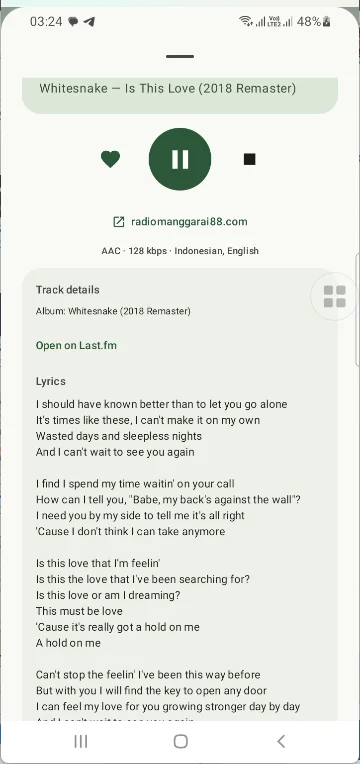
Lyrics for the current track appear automatically while you listen — plain or synced, with timestamps and tags cleaned up for a clear read.
WikiRadio is a free Android radio player that shows what's playing — artist, album, artwork, bitrate and the lyrics for the current track — while you listen to stations from around the world.
Stations worldwide
Powered by Radio Browser
Live lyrics
Powered by LRCLIB
Rich metadata
ICY, AzuraCast & Last.fm
Private by design
No account, no ads
Most radio apps stop at audio. WikiRadio also tells you what you are hearing — and gives you the lyrics to follow along.
Lyrics for the current track appear automatically while you listen — plain or synced, with timestamps and tags cleaned up for a clear read.
Artist, title, album, artwork, codec and bitrate where available — plus a LIVE badge showing the on-air streamer on supported stations.
Find stations around you, including local East Nusa Tenggara stations. Location is optional: deny it and only the Nearby view is unavailable.
Search by station name, country or tags, then narrow the list with a searchable country picker that shows how many stations each country has.
Keep the stations you love and the last 30 you played. Both stay on your device — no account and no cloud profile.
A calm Material 3 interface with a custom green palette. Choose System default, Light or Dark and your choice is remembered.
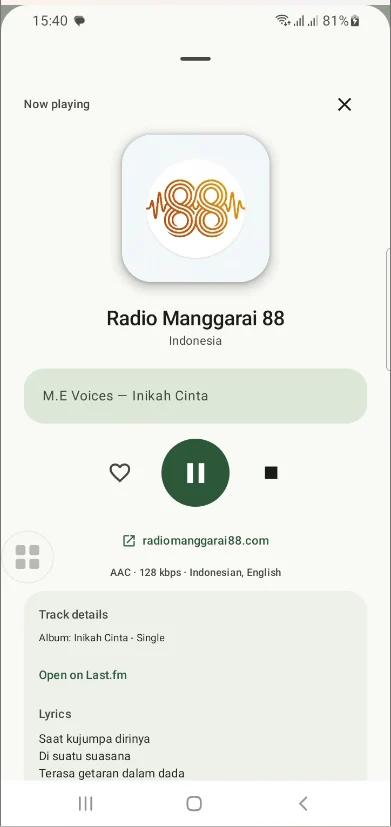
WikiRadio reads the current track and looks up lyrics automatically. Whether the station plays an international hit or a local Indonesian song, the words are right there when they are available.
Automatic lookup
When a station reports the current track, WikiRadio looks up lyrics in the background — no extra taps.
Plain or synced
Synced lyrics are stripped of timestamps and metadata tags so the reading view stays clean.
More than a title
Album, tags and a Last.fm link appear when available, alongside codec and bitrate from the stream.
Selectable text
Long-press a line to copy it. Lyrics stay readable while playback controls remain close by.
A calm player, a clear Now Playing sheet, and a library that lives on your device. These are real screenshots from the app.
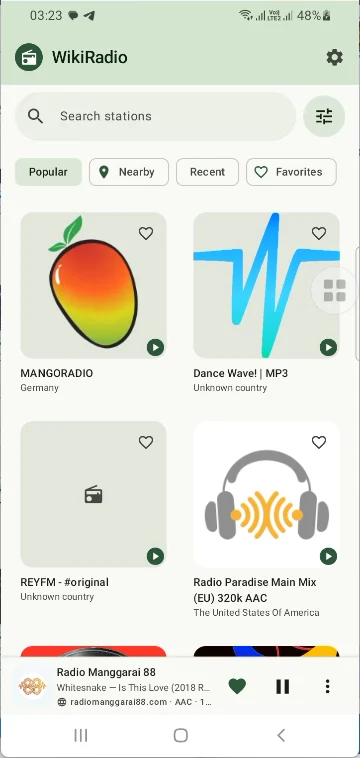
Browse what is popular
The most-voted stations, one tap away.
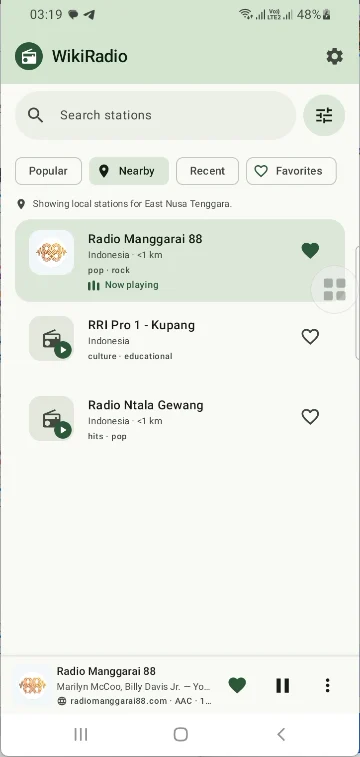
Find stations nearby
Local discovery, including East Nusa Tenggara.
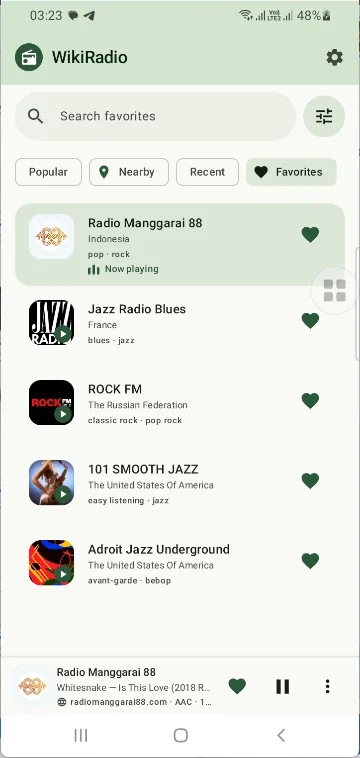
Keep your favorites
Saved locally, always one tap away.
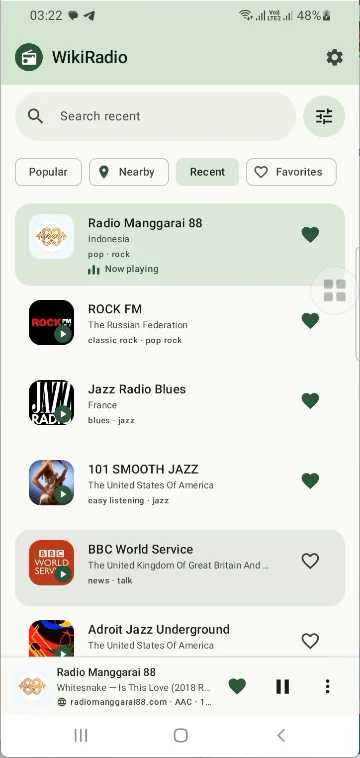
Pick up where you left off
The last 30 stations you played.
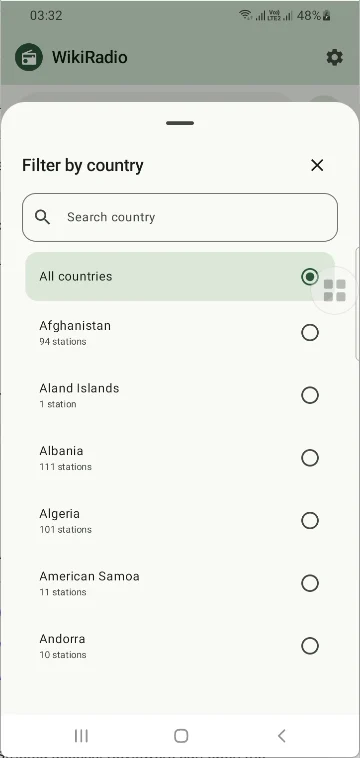
Browse by country
A searchable country list with station counts.
Use the arrows or swipe to explore · Real screenshots from WikiRadio
Popular stations, country browsing and local discovery in one calm player. No account, no ads, and no listening profile to manage.

The feature graphic from our Google Play listing.
No sign-in, no ad tracking, no cloud listening history. The app only reaches out to the services needed for the feature you are using.
Used only when you open Nearby. Deny it and the rest of the app keeps working — you only lose the Nearby view. Coordinates are used for the station search, not stored as location history.
There is no sign-in, no advertising ID and no listening profile on our servers. The app is a player, not a tracking service.
Favorites, recent stations and appearance preferences live in local app preferences. Uninstalling WikiRadio removes them.
Third-party services are only contacted for the feature you use: Radio Browser for stations, AzuraCast for live metadata, Last.fm for track info, and LRCLIB for lyrics.
Read the privacy policyThe short answers to the things people ask before installing WikiRadio.
Yes. WikiRadio is free to use, with no ads and no account. Favorites, recently played stations and appearance preferences are stored locally on your device.
WikiRadio runs on Android 7.0 (API 24) and newer.
Only for Nearby stations. Location is optional; if you deny it, the rest of the app still works and only the Nearby view is unavailable. Coordinates are used for a geographic station search and are not stored as location history.
The artist and title reported by the current station are sent to LRCLIB to look up lyrics. Plain and synced lyrics are shown when available. Last.fm provides track details such as album and tags.
Yes. Playback continues with a media notification and lock-screen controls, so you can keep listening while using other apps.
Yes. Choose System default, Light or Dark in Settings. Your preference is remembered on your device.
Stations, streams, metadata and lyrics come from third-party services and can change without notice. Try another station or report the issue through the support page.
Still need a hand?
Visit WikiRadio support WikiRadio
Free on Google Play. No ads, no account, no listening profile.